Потрібна ваша допомога у тестуванні перекладу!
Якщо ви бачите помилки перекладу — напишіть нам, будь ласка, на форум про це.
Якщо ви бачите помилки перекладу — напишіть нам, будь ласка, на форум про це.
Друк результатів у PDF
Застаріло! Починаючи з версії 1.2, результати можна завантажувати безпосередньо у PDF.
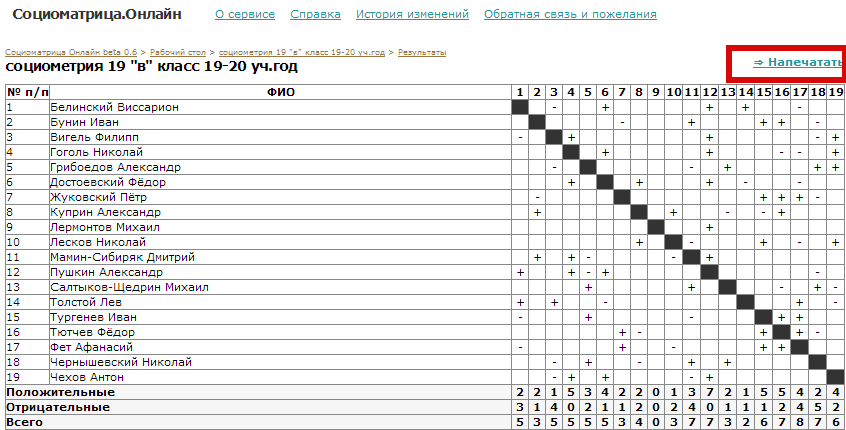
Щоб зберегти протокол у папці на комп'ютері, натисніть кнопку «Друк» праворуч угорі над таблицею:
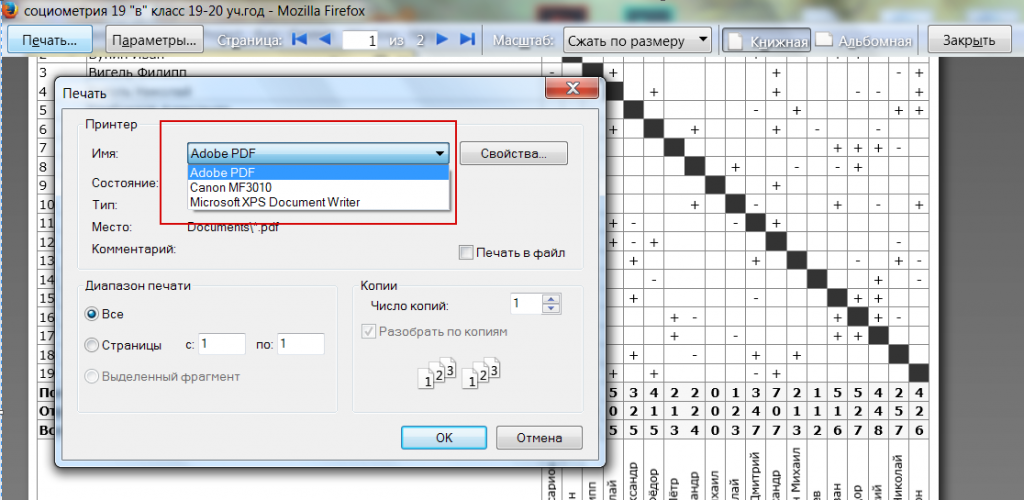
Біля принтера натисніть «Змінити» та виберіть «Adobe PDF» або «Зберегти як PDF».
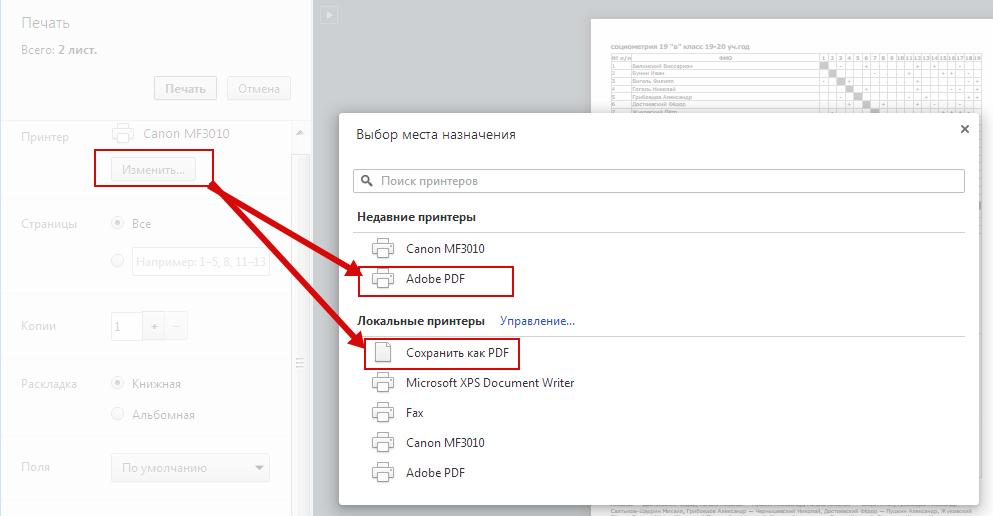
Зверніть увагу на параметри «Фонові кольори й зображення» та «Верхні й нижні колонтитули»:
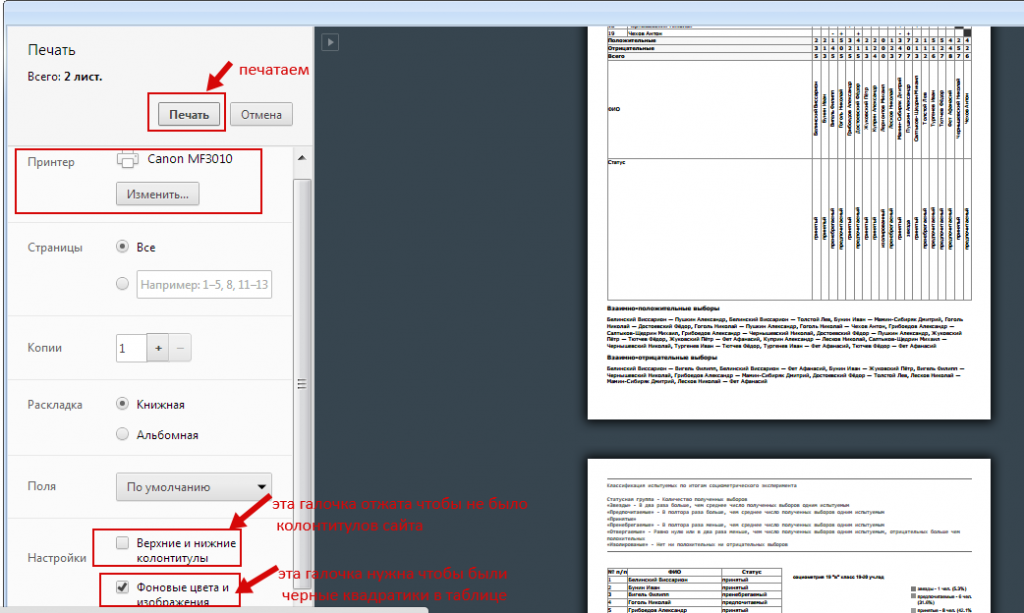
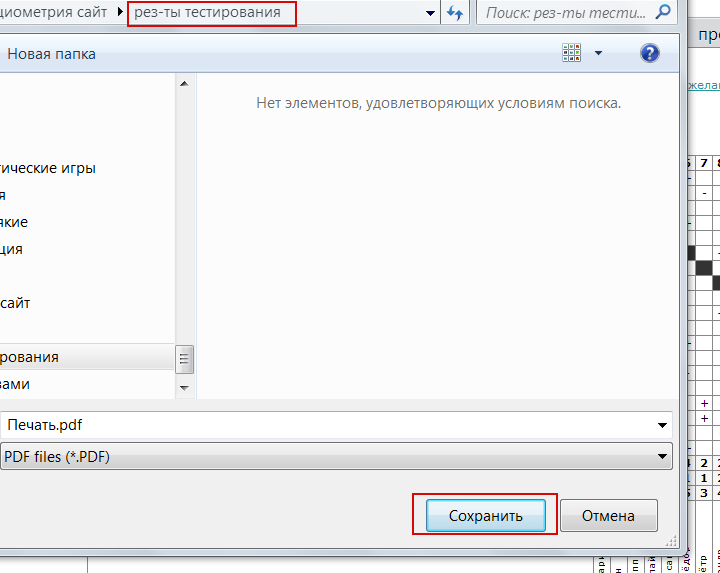
Натисніть «Друк», виберіть потрібну папку та збережіть файл.
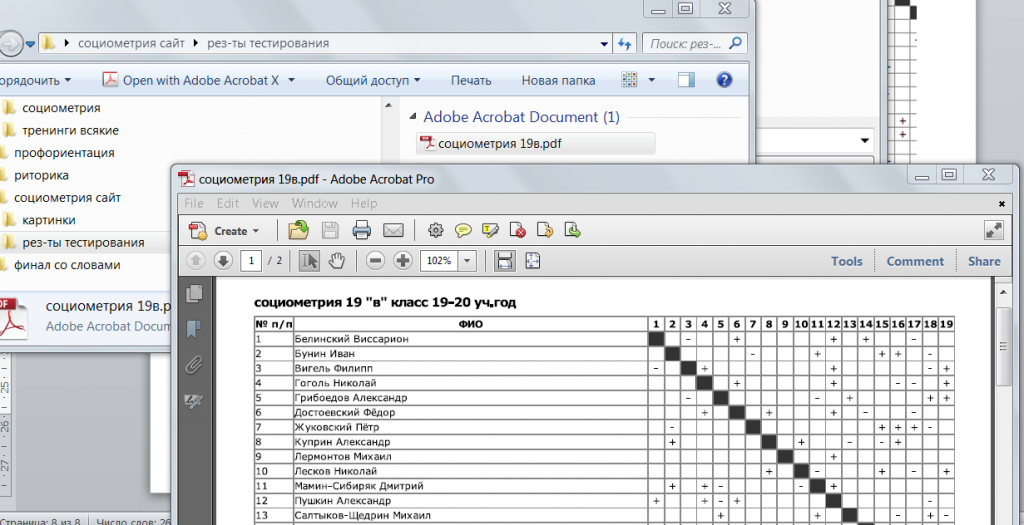
Готово! Результат збережено як PDF-файл:
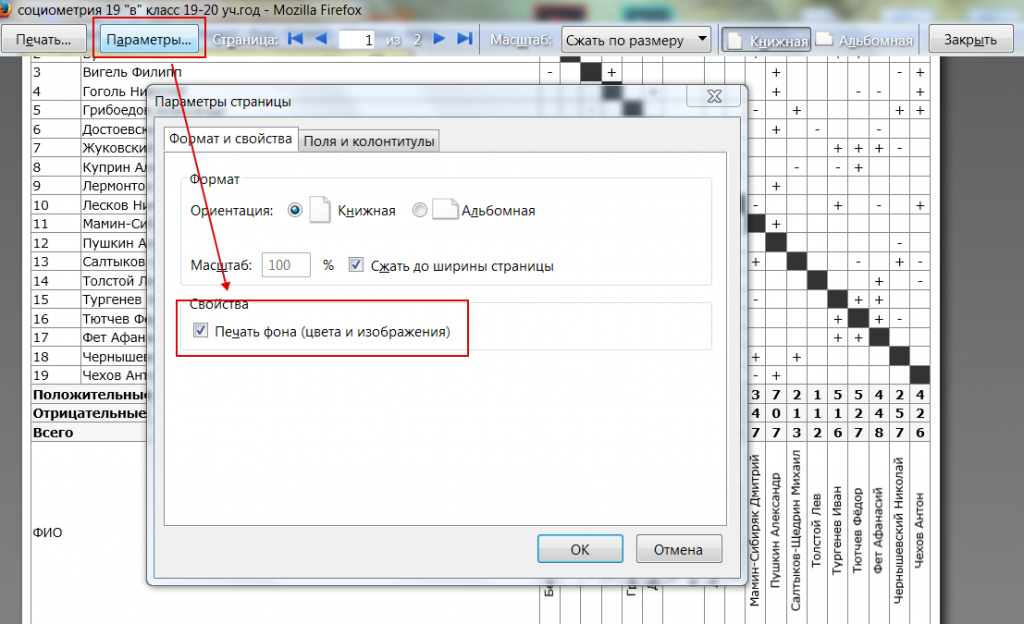
У Mozilla Firefox на сторінці результатів виберіть Файл — Попередній перегляд і виконайте ті самі дії: